
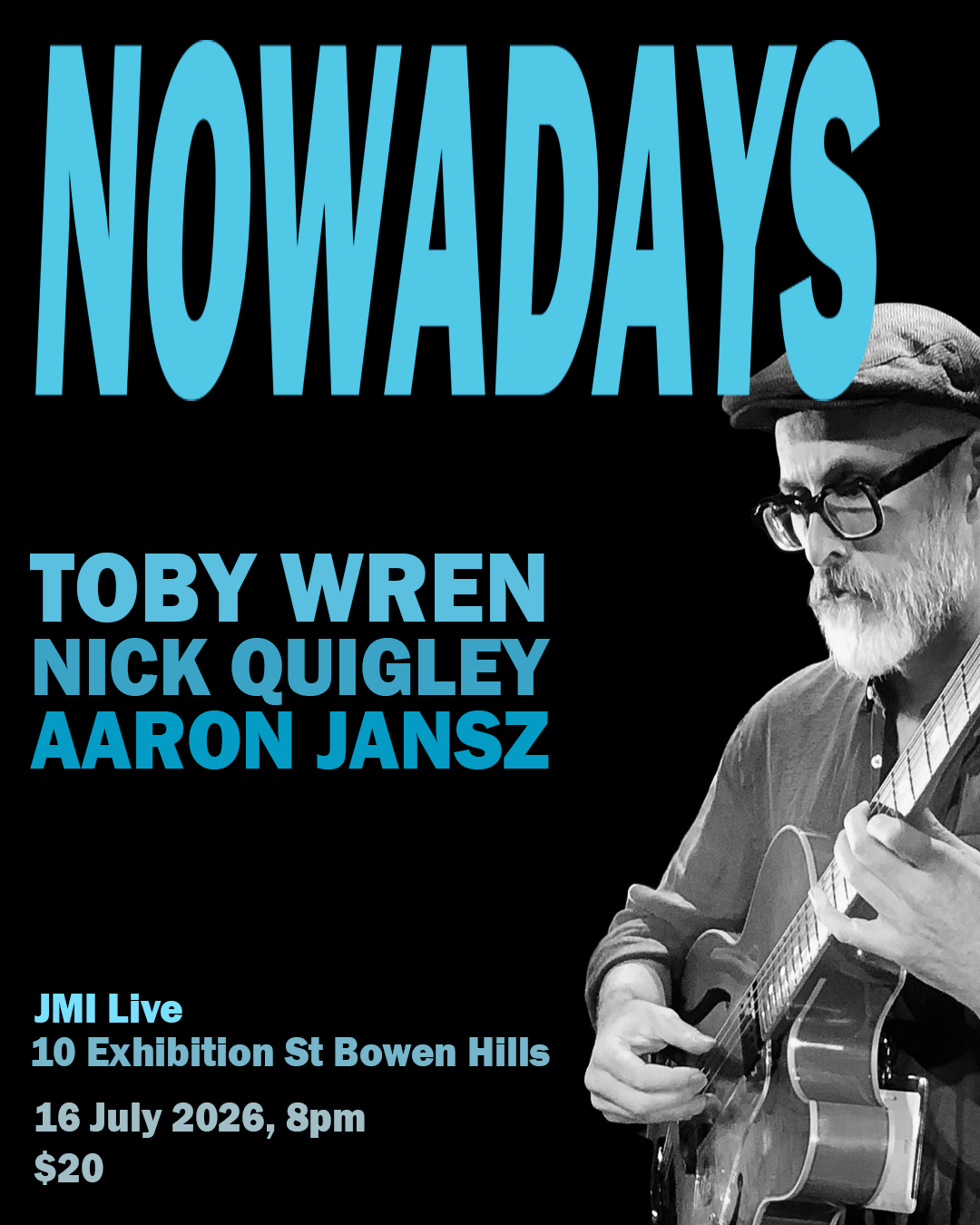

Electronic Press Kit

Toby Wren
guitarist | composer | improviser
Brisbane and Sunshine Coast

m: 0438 106 308
e: toby.wren@optusnet.com.au

"…extraordinary…" — Eric Myers, The Australian

"Timeless and unaffected… sweet, bluesy and inscrutable…"Courier-Mail

"A thrilling ride…"Courier-Mail


About

The Music

Toby Wren makes music that is hard to categorise and easy to listen to. Drawing on jazz, contemporary classical, blues, funk, and world music traditions, his playing has been described as possessing "a full ringing tone and suppleness of melodic invention" (Limelight Magazine) and "an appeal that transcends traditional categories" (Barry O'Sullivan, Dingo Jazz Magazine). The Courier-Mail called his quartet "a thrilling ride with some unexpected detours."

Whether performing original compositions or improvising freely in the moment, Wren brings genuine musicality to every setting — accessible enough for a café crowd, substantial enough for a concert stage.

Available as a trio, duo (with vocalist or bass), or solo.


Recordings

Toby has released eight albums under his own name spanning twenty-five years of creative work, from the genre-bending The Carnatic Jazz Experiment (2011) to the widely praised Songs for Dead Sailors (2025), released on CD, LP, and with published scores through Made Now Music. His catalogue is available on Bandcamp and through his website.

Listen to recordings on Toby’s Bandcamp page.

Credentials

Toby holds a PhD in music and has taught at the Queensland Conservatorium of Music, QUT, and SAE University College, where he is currently Senior Lecturer and Chair of Scholarship. His academic work on intercultural improvisation, jazz standards, and creative practice has been published in Ethnomusicology, the Journal of Jazz Studies, and Perfect Beat, among others.

He has collaborated with a range of artists including Megan Washington, Katie Noonan, James Morrison, Debbie Reynolds, Trevor Hart, Rafael Karlen, Andrew Butt, and Mutable Objects.


Page Bnner

Overlay Color – Set the color & opacity of the color over the banner image.

Padding – Control the top & bottom padding in the banner area.

Page Title Font – Control the font options for the page title.

Title Font Color – Set the color for the page title.

Page Description Font – Control the font options for the page description.

Description Font Color – Set the color for the page description.


Main Content

Background Color – Set the background color for the main content area.

Text Font – Control the font options for the body font.

Text Color – Set the color for the body font.

Link Color – Set the color of links in the main content area.

Meta Font – Control the font options for the meta info font.

Meta Color – Set the color for the meta info font.

Heading 1/2/3 Font – Control the font options for the 3 levels of headings. 

Heading 1/2/3 Color –  Set the colors for the 3 levels of headings.

Quote Font – Control the font options for the quote block.

Quote Color – Set the color for the text in the quote block.


Index

Alternating Background Color – Set the alternate background color for sections in an index collection.

Large/Medium/Small Button Color – Set the background color for the 3 sizes of buttons when they're over an image on an index collection.

Large/Medium/Small Button Text Color – Set the text color for the 3 sizes of buttons when they're over an image on and index collection.


Index Overlay

Color – Set the color and opacity of the overlay color on index collections.

Padding – Control the top & bottom padding on overlay sections in index collections.

Text Color – Set the text color on overlays in index collections.

Link Color – Set the link color on overlays in index collections.

Heading 1/2/3 Size – Set the font size for the 3 levels of headings on overlays in index collections.

Heading 1/2/3 Color – Set the colors for the 3 levels of headings on overlays in index collections.

Quote Size – Set the size of quote block text on overlays in index collections.

Quote Color – Set the text color for quote blocks on overlays in index collections.


Index Gallery

Design – Choose Grid or Slideshow for index galleries.

Grid Aspect Ratio – Choose the aspect ratio of the thumbnails in grid style index galleries.

Grid Max Columns – Set the max number of columns in grid style index galleries.

Slideshow Aspect Ratio – Set the aspect ratio of the images in slideshow style index galleries.

Slideshow Transition – Set the transition between images in slideshow style index galleries.

Gallery Overlay Color – Set the color & opacity of the overlay on index galleries.

Gallery Title Font – Control the font options for the image title.

Gallery Title Color – Set the color for the image title.

Gallery Description Font – Control the font options for the image description text.

Gallery Description Color – Set the color for the image description text.

Gallery Controls – Choose the style of controls for the index galleries.

Gallery Controls Color – Set the color for the controls on index galleries.

Gallery Overlay Toggle – Enable/disable the toggle for the overlay color and text on images on index galleries.


Blog

Meta Priority – Choose what meta info has priority on blog posts.

Hide Entry Author – Hide the author's name on blog posts.

Hide List Entry Footer – Hide the share icons, categories, tags, & comments link in the blog list view.


Summary Block

Summary Block styles unique to this template

Title Font – Control the font options for the summary block item titles.

Title Color – Set the color for the summary block item titles.

Overlay Title Color – Set the color for summary block item titles that appear over images.


Pre Footer

Content – Choose what to display in the pre footer area.

Background Color – Set the background color for the pre footer area.

Heading Color – Set the color for the headings in the pre footer area.

Text Color – Set the color for the text in the pre footer area.


Background Color – Set the background color of the footer area.

Heading Color – Set the color for headings in the footer area.

Text Color – Set the color for text in the footer area.

Text Size – Set the size of the text in the footer area, as a percentage of the regular font size.

Nav Font – Control the font options for the secondary navigation.

Nav Color – Set the color for links in the secondary navigation.

Nav Active Color – Set the active link color in the secondary navigation.

Hide Site Info – Hide the site info/address in the footer.

Site Info Font – Control the font options for the site info/address in the footer.

Site Info Color – Set the color for the site info/address in the footer.


Products

Product styles unique to this template

Hide Product Category Nav – Hide the product category navigation.

Category Nav Title Font – Control the font options for title of the product category navigation.

Category Nav Title Color – Set the color for title of the product category navigation

Category Nav Link Font – Control the font options for the product category navigation.

Category Nav Link Color – Set the color of the links in the product category navigation.

Category Nav Link (Active) – Set the color of the active category.